 CleanTable
Wikipedia table to Excel in two clicks
Wikipedia tables are packed with flag icons, links, merged cells and footnote markers. CleanTable turns them into a tidy grid you can paste.
- Free, no row limit
- Runs locally
- Chrome & Edge
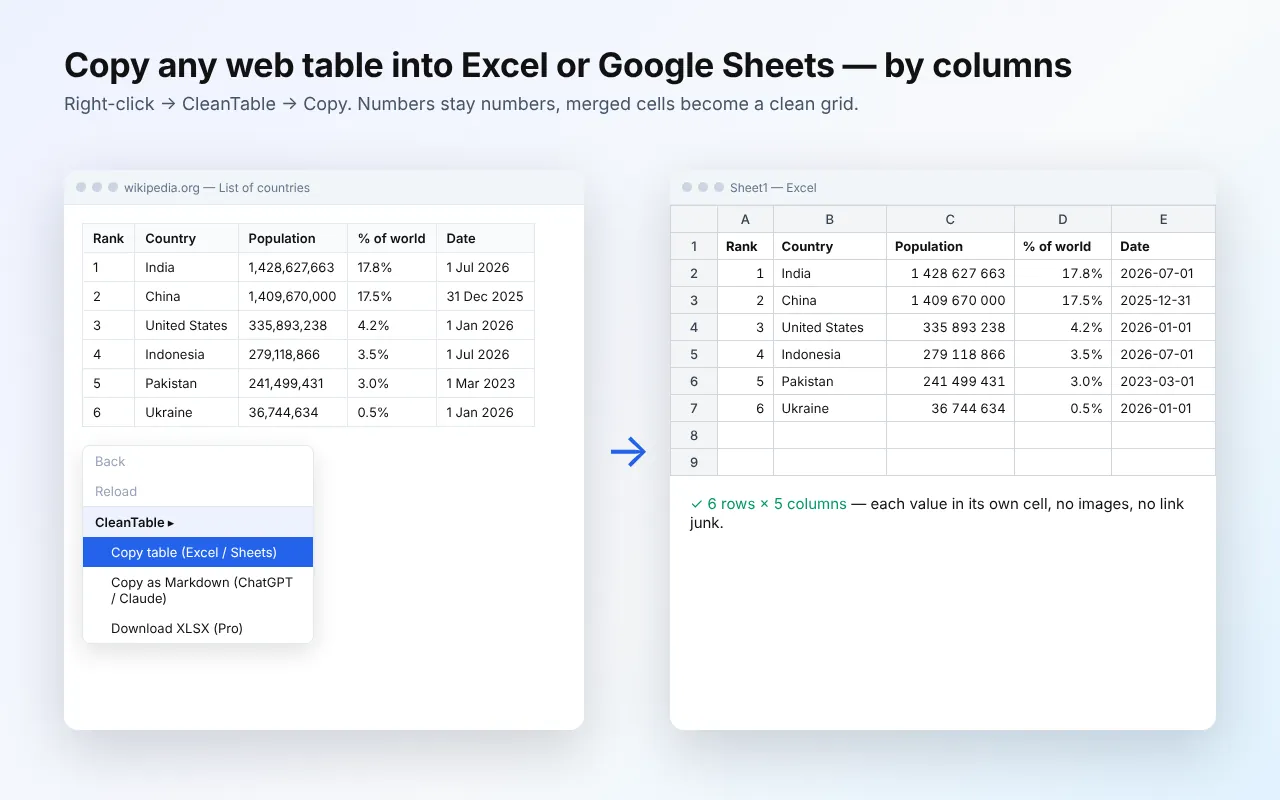
Copy a Wikipedia table
- Open the Wikipedia article and right-click the table.
- Choose CleanTable → Copy table (Excel / Sheets).
- Paste into Excel or Google Sheets.
Flag and other images are dropped, links become plain text, hidden rows are skipped and cells that span several rows or columns are expanded so every row has the same number of columns.
About footnote markers
Wikipedia puts markers such as [1] or [a] next to values. They are part of the cell text, so they arrive in the spreadsheet too. Remove them in one step:
- Google Sheets: Edit → Find and replace → tick Search using regular expressions → find
\[\w+\]→ replace with nothing → Replace all. - Excel (recent Microsoft 365):
=REGEXREPLACE(A2,"\[\w+\]",""), then paste values over the original.
Pick the right table
Articles often contain several tables and an infobox. With the picker overlay you click the table you want instead of counting “table 3” as you must with IMPORTHTML or Excel’s From Web.
Other ways, and their catches
- Excel → Data → From Web lists Table 0, Table 1… without names, so you preview each one.
- Google Sheets
IMPORTHTMLneeds the table’s index and creates a live link, so the data shifts when the article is edited.
Statistics and research tables
The same approach works on census, sports and government statistics tables. For tables that span several pages, use Pro’s merge.
Frequently asked questions
Does CleanTable remove footnote markers?
No — they are part of the cell text. Use the one-step find-and-replace above.
Is there a row limit for long Wikipedia lists?
No, copying a single table is free and unlimited.
Can I copy several tables at once?
Pro can save every table of the page into one XLSX workbook, one sheet per table.
Related
Copy your next table the clean way
Free for single tables, no row limit, no account. Pro is a one-time payment.
Add to Chrome — it’s free