 CleanTable
Copy a virtualised or infinite-scroll table
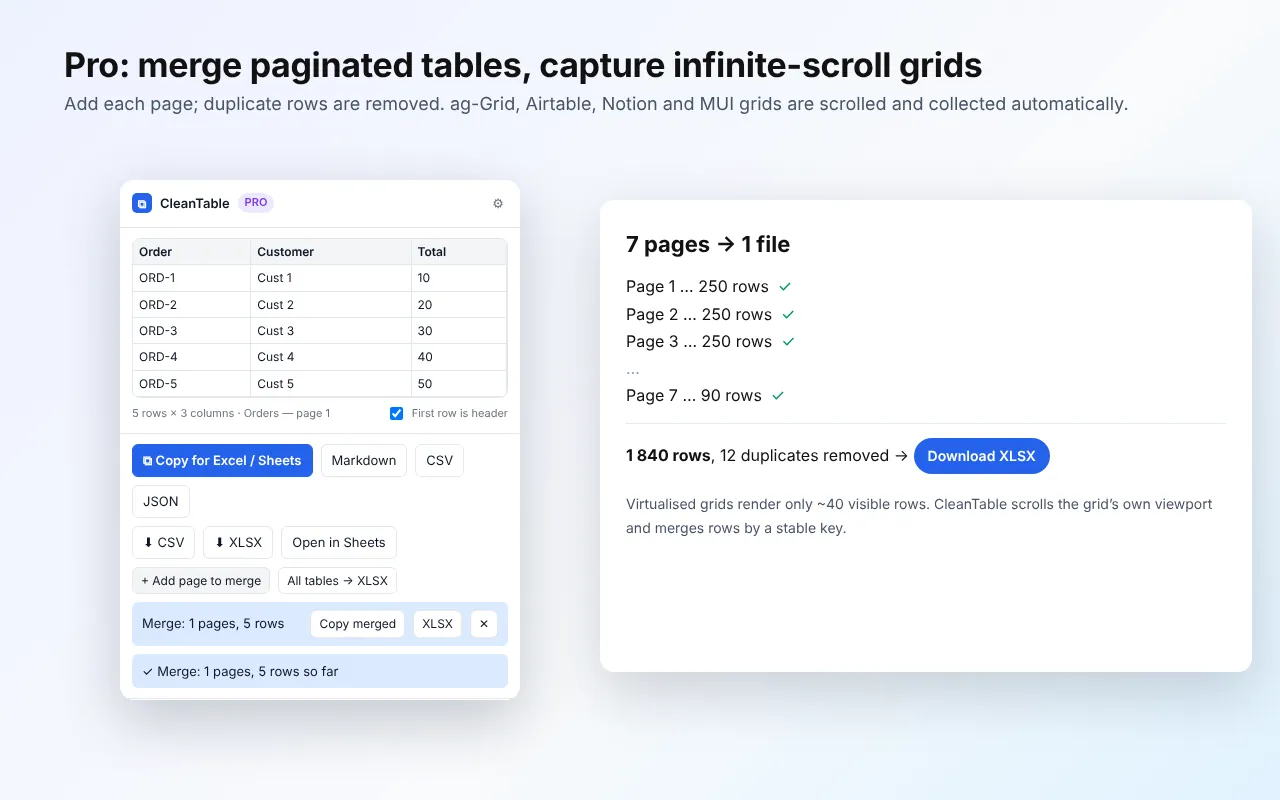
Modern data grids render only the rows you can see. Select-all copies a handful of them. CleanTable Pro scrolls the grid for you and collects every row.
- Free, no row limit
- Runs locally
- Chrome & Edge
Why copying a virtualised grid fails
To stay fast, grids such as ag-Grid, MUI DataGrid, TanStack Virtual, Airtable-style grids and long window-scrolled feeds keep only around 40 rows in the page at a time. Whatever is not on screen simply is not in the page, so select-all and normal copy give you a fraction of the data.
How capture works
- Open the popup and switch on Capture scrolling grid (Pro).
- CleanTable scrolls the grid’s own viewport in 80 % steps.
- Each new row is merged by a stable key —
data-id,row-id,aria-rowindexand similar attributes, or a text hash when there is none. - It stops after two idle scrolls, restores your scroll position and orders rows by index when the grid provides one.
- Copy the result or download CSV / XLSX.
Limits, honestly
- It captures what the grid can show when scrolled; it does not log in, click through pages or call hidden APIs.
- Very large grids take time because the page really has to scroll.
- For tables split into numbered pages, use Add page to merge on each page; CleanTable de-duplicates rows when it merges them.
Pro, one-time
Grid capture is part of Pro: ₴790 (about $19) once, no subscription. See pricing.
Frequently asked questions
Which grids are supported?
ag-Grid, MUI DataGrid, TanStack Virtual, Airtable-style and similar virtualised grids, plus feeds that scroll the window.
Will it change my data or the page?
No. It only scrolls and reads. Your scroll position is restored afterwards.
Is anything sent to a server?
No. Capture, merging and export all happen in your browser.
Related
Copy your next table the clean way
Free for single tables, no row limit, no account. Pro is a one-time payment.
Add to Chrome — it’s free