 CleanTable
Copy a web table to Google Sheets
Google Sheets can import a page with a formula, but many modern pages come back empty. A browser extension sees what you see — and pastes it by columns.
- Free, no row limit
- Runs locally
- Chrome & Edge
The IMPORTHTML problem
=IMPORTHTML("https://example.com/page","table",1) is the classic way to pull a table into Sheets. It fails when:
- the table is rendered by JavaScript (Google’s fetcher only reads the raw HTML, so you get an empty result);
- the site blocks Google’s fetcher (“Could not fetch URL”);
- the page needs a login;
- you have to guess the table number, because infoboxes and menus count too.
Details in why IMPORTHTML returns an empty table.
Copy a table into Google Sheets in two clicks
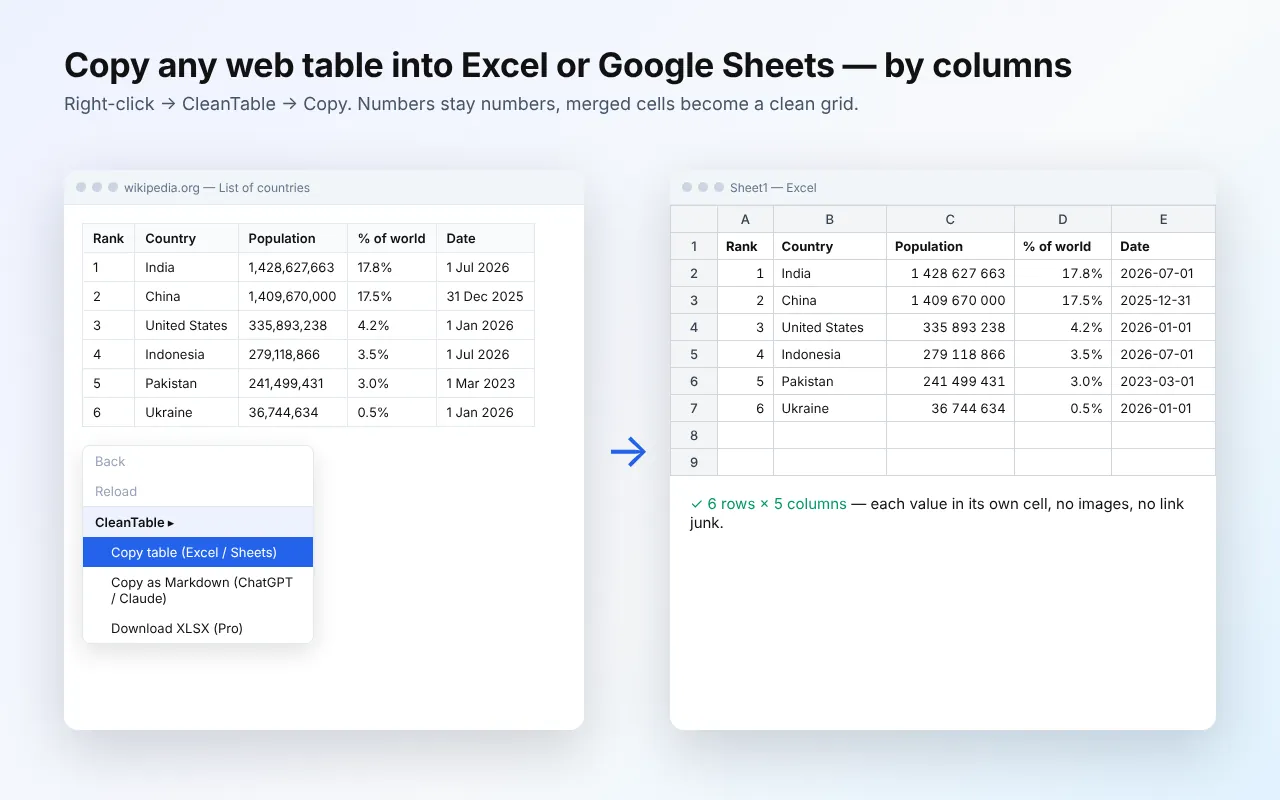
- Right-click the table → CleanTable → Copy table (Excel / Sheets).
- Click a cell in Google Sheets and press Ctrl+V (⌘V on Mac).
Each value goes into its own column; headers are detected, merged cells are expanded and images and link markup are removed.
Open straight in a new sheet (Pro)
Pro adds Open in new Google Sheet: CleanTable copies the table and opens sheets.new, you press Ctrl+V. There is no Google sign-in, no OAuth permission and no access to your Drive — the extension never talks to your Google account.
Limits worth knowing
CleanTable copies a snapshot of the table. It does not keep a live link, so it will not refresh when the source page changes. If you need a live import and the page is static HTML, IMPORTHTML is still the right tool.
Frequently asked questions
Does CleanTable ask for access to my Google account?
No. It copies to your clipboard; you paste into Sheets yourself. Even “Open in new Google Sheet” only opens sheets.new in a tab.
Will the sheet update when the web page changes?
No — it is a one-time copy, not a live connection.
Can I copy tables from pages behind a login?
Yes. CleanTable runs inside the page you are already looking at, so it can copy what you can see.
Related
Copy your next table the clean way
Free for single tables, no row limit, no account. Pro is a one-time payment.
Add to Chrome — it’s free